Setting up confidence monitoring and mix-minus or bus-minus feeds for home studios can be as simple as setting bus-minus assigns. All of our IP consoles have bus-minus sends from the fader, and these provide an automatic mix-minus of program content minus the source, so in most cases it’s a simple matter of pairing faders to the codec. But if you have a smaller plant with a limited number of AoIP I/O units feeding a small console, you’ll want to know about a WheatNet IP feature called Associated Connections.
Associated Connections can be used to route several home studio feeds and their respective bus-minus presets along with assigned codecs using shared hardware I/Os and faders.
With this, you can build a set of rules to automate routing for predetermined backhauls, IFB feeds, or mix-minuses for each device based on its location in the system or on a fader. When a base connection is made, up to ten additional connections can happen automatically.
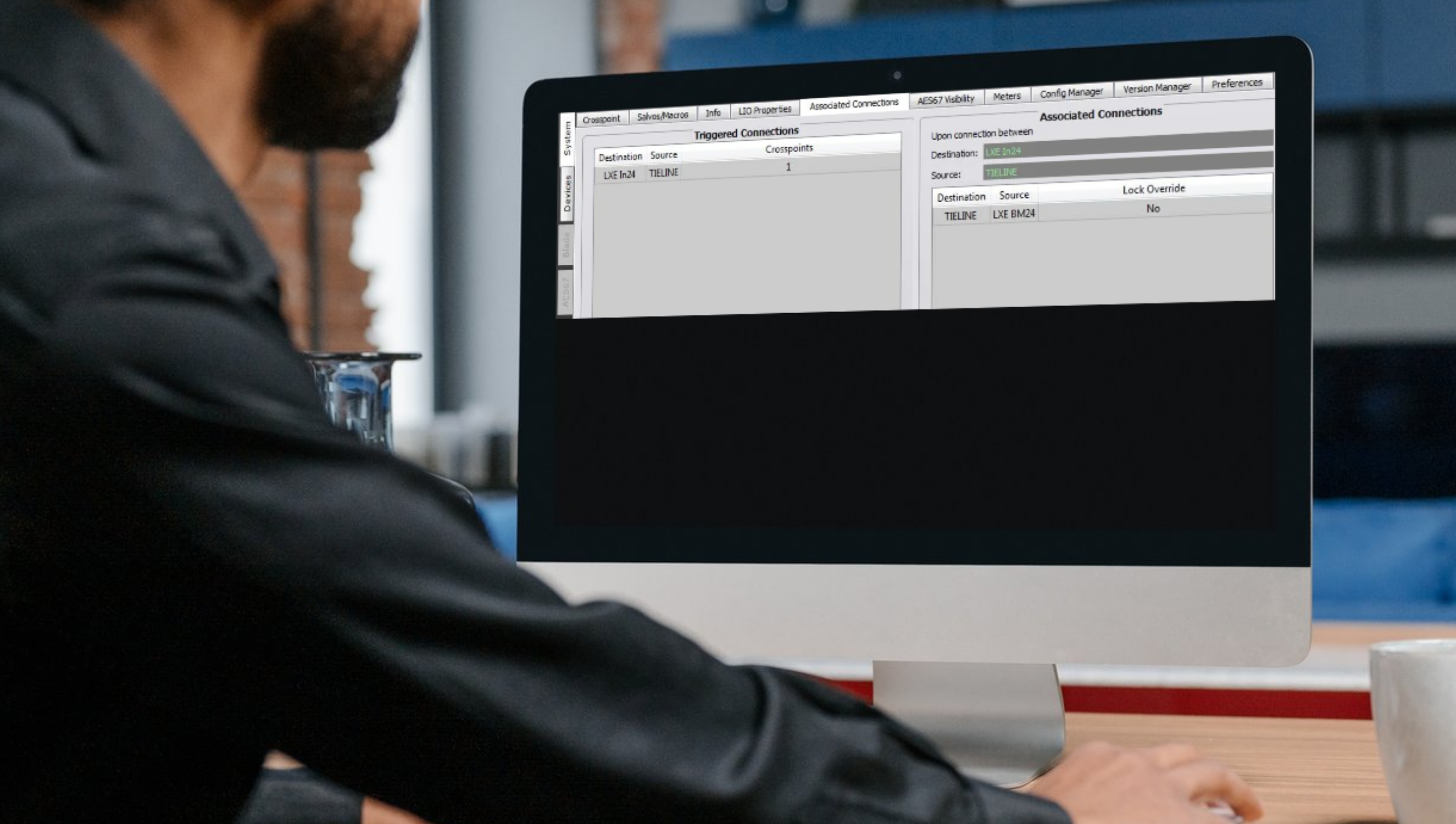
Here is a simple example of how Associated Connections can eliminate having to make multiple connections by setting up associated connections that automatically route the proper backfeed signal to the codec. provide direct talkback to the Tieline.

The Associated Connections screen showing that when the Tieline codec is assigned to Channel 24 on the LXE, the bus-minus output from Ch. 24 is automatically assigned to feed the Tieline input.

The Talkback button on Ch. 24, which will interrupt the Ch. 24 Bus-Minus output to provide direct talkback to the Tieline.
Company
600 Industrial Dr.
New Bern, NC 28562 USA
Main office +1 (252) 638-7000
Fax main office +1 (252) 637-1285
We are open Monday through Friday,
8:30 AM to 8:30 PM EST